
Line Item Fees provide extra charges on a single Line Item, including a fixed amount, a per-unit amount, and an income account for reporting. Line Item Fees are available in System Settings and on an Estimate or Order. A Line Item Fee applies to one Line Item, while an Order Fee applies to the whole Estimate or Order.
Table of Contents
- Important Information
- Navigating to Line Item Fees
- Setting Up Line Item Fees
- Applying Line Item Fees on an Estimate or Order
- Related Articles
Important Information
- A Line Item Fee applies to one Line Item.
- Set the fee up before you add it on an Estimate or Order.
- A new fee uses Create. An existing fee uses Save.
- A Fixed Fee is charged once on the Line Item. A Per Unit Fee is charged for each unit of the quantity.
- Estimates and Orders both open fees from Order Totals. Payment Surcharge is a separate amount.
- A fee on the whole Estimate or Order is an Order Fee. For more information, please see Order Fees.
Navigating to Line Item Fees
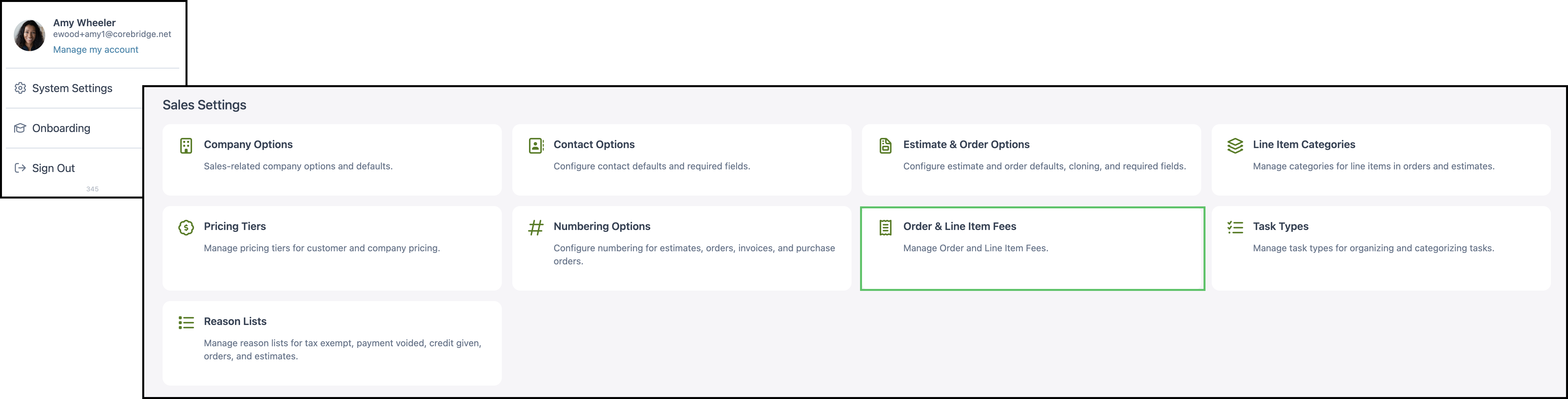
Navigate to System Settings / Sales Settings / Order & Line Item Fees.
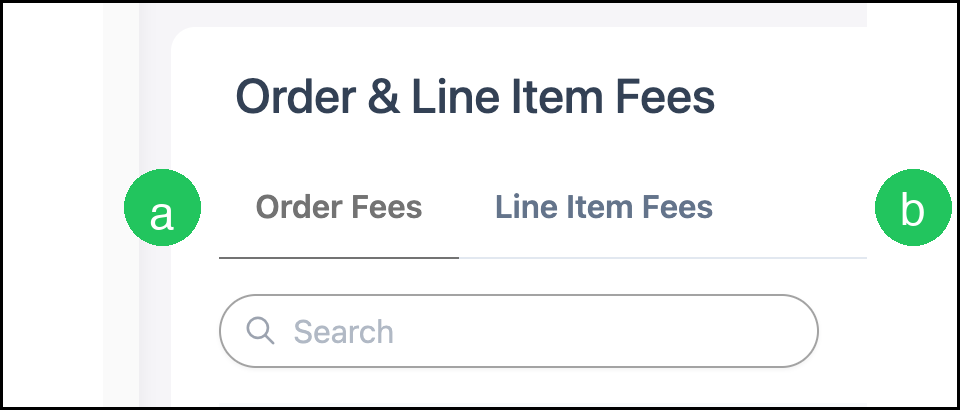
The Order & Line Item Fees screen includes two tabs:
a. Order Fees - Fees that apply to the overall Estimate or Order. For more information, please see Order Fees.
b. Line Item Fees - Fees that apply to individual line items.
Setting Up Line Item Fees
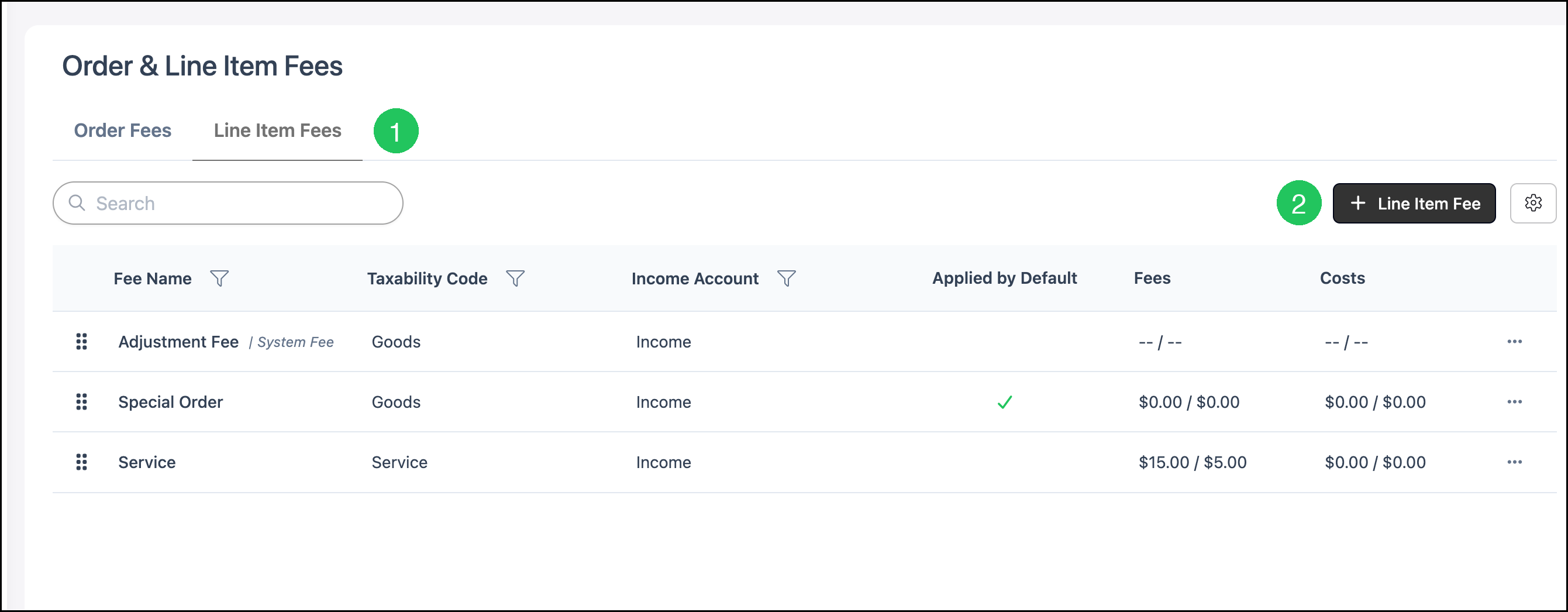
1. Select the Line Item Fees tab.
2. Click Line Item Fee to create a new fee, or select an existing fee to edit it. The New Line Item Fee dialog opens for a new fee. An existing fee opens in a dialog titled with the fee name.
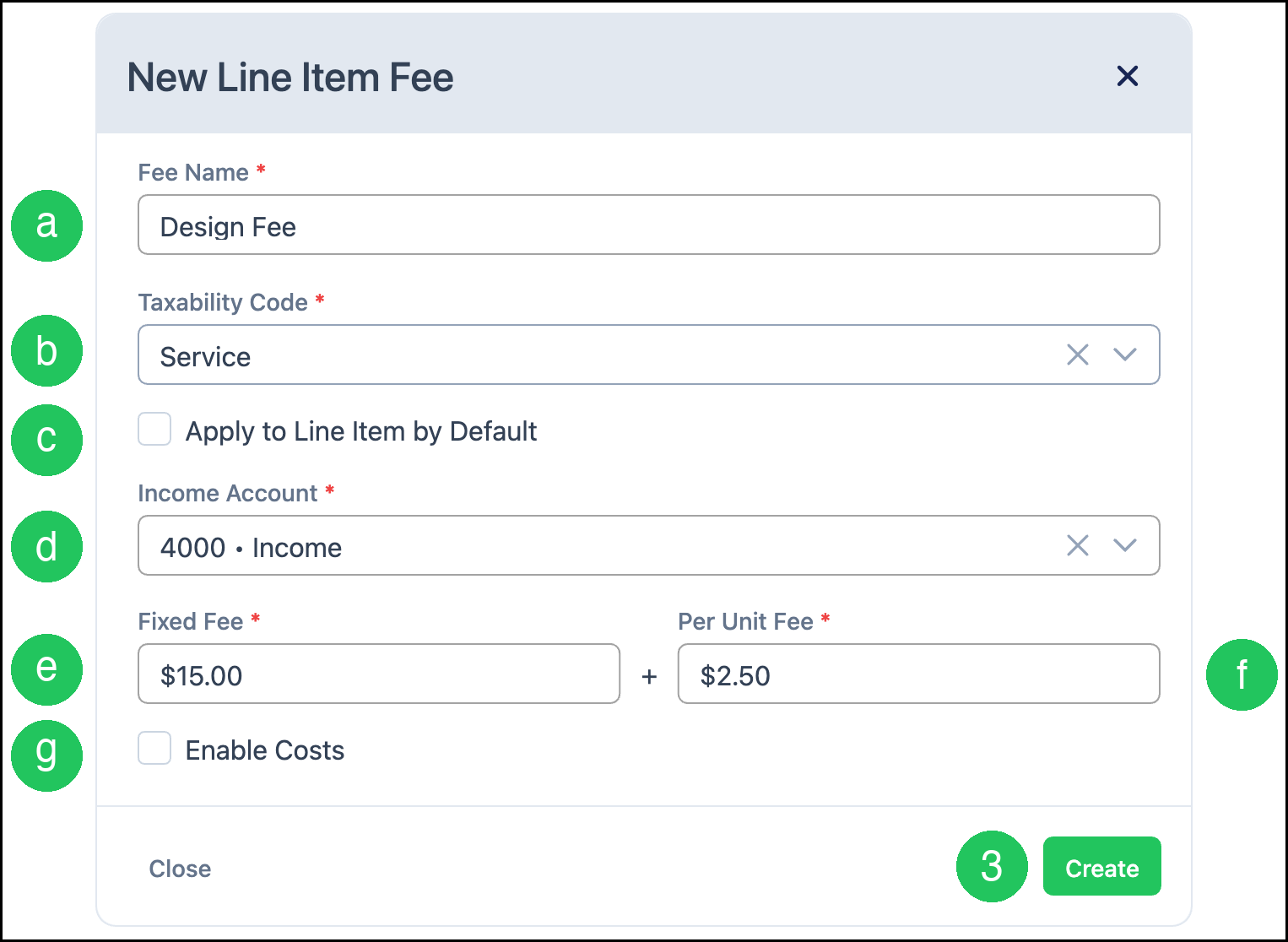
Complete the fields in the dialog:
a. Fee Name - The name of the fee as it appears in Order Entry and reporting.
b. Taxability Code - Determines whether the fee is taxable or tax exempt. This can be overridden during Order Entry when needed.
c. Apply to Line Item by Default - When selected, the fee is automatically added to each new line item. You can remove it when your permissions allow it.
d. Income Account - The GL Account used for financial reporting. This can be overridden during Order Entry when needed.
e. Fixed Fee - A default amount charged once per line item.
f. Per Unit Fee - A default amount charged for each unit of the line item quantity. For example, a Per Unit Fee of $0.50 on a line item with a quantity of 10 calculates to $5.00, plus any Fixed Fee.
g. Enable Costs - When selected, the fee also records cost. Additional cost fields appear for COGS / Expense Account, Fixed Cost, and Per Unit Cost.
Note: The total fee amount can be overridden during Order Entry when needed. Cost amounts cannot be overridden during Order Entry.
3. Click Create.
Note: When you open an existing fee, the button is Save.
Applying Line Item Fees on an Estimate or Order
Line Item Fees configured in System Settings can be reviewed and managed from an Estimate or Order.
1. Open an Estimate or Order.
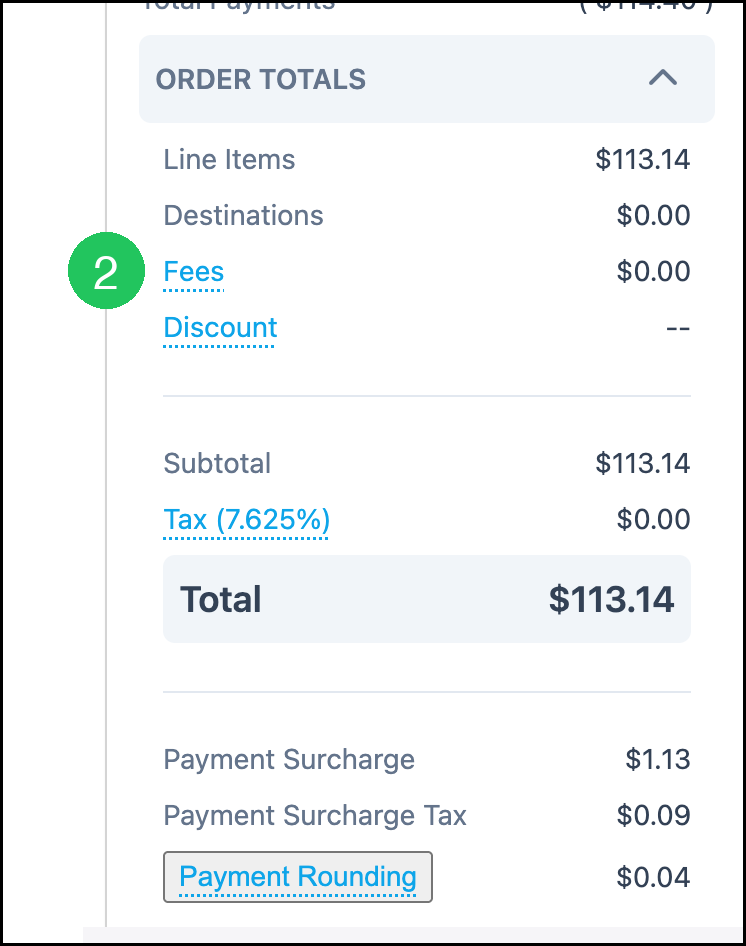
2. In the Order Totals section, click Fees. An Estimate uses this same Order Totals heading.
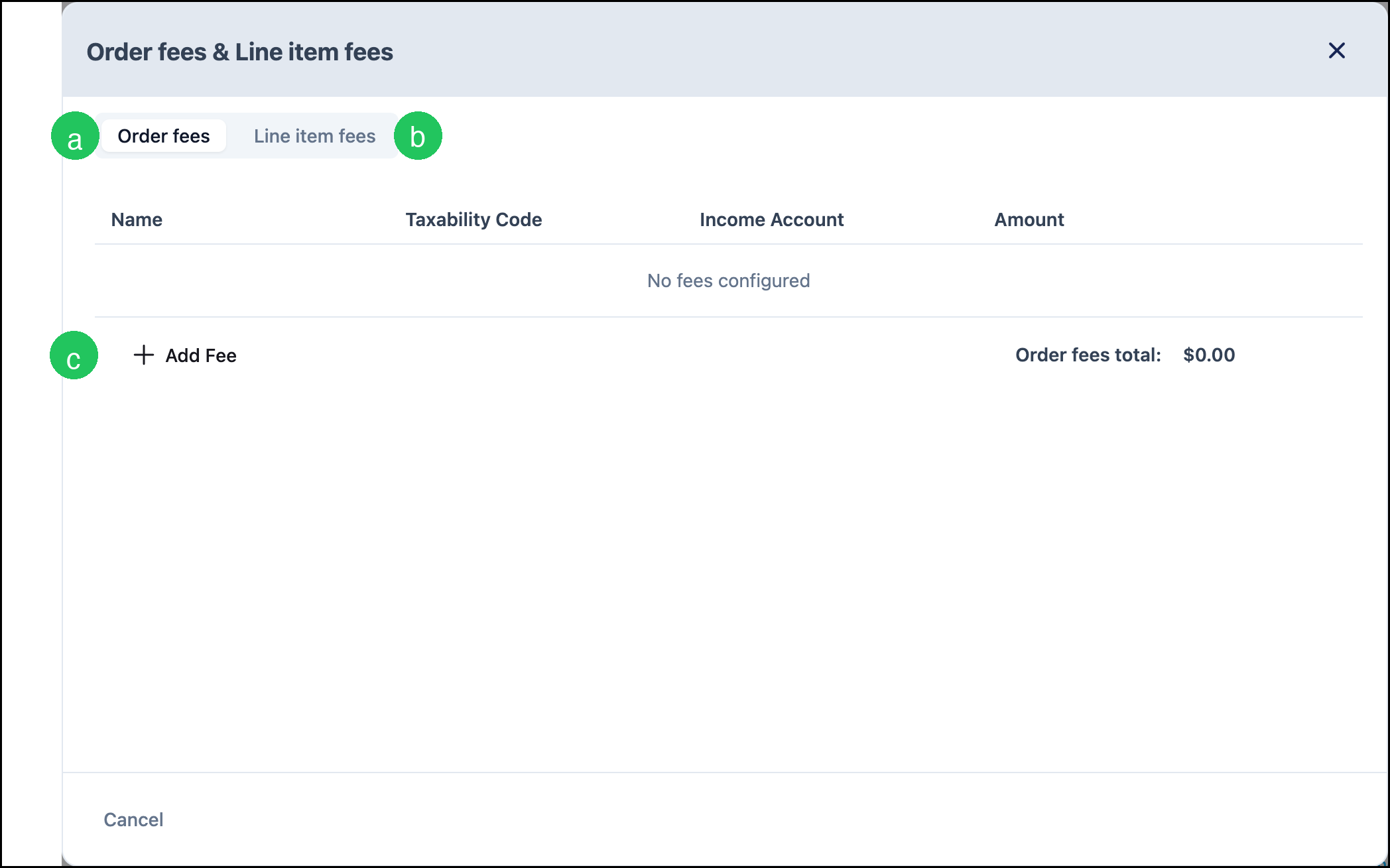
The Order fees & Line item fees dialog opens.
a. Order fees - View and manage fees that apply to the overall Estimate or Order. For more information, please see Order Fees.
b. Line item fees - View and manage fees that apply to line items.
c. Add Fee - Adds a fee to the Estimate or Order.
Note: Payment Surcharge amounts shown near Order Totals are a separate feature from Line Item Fees.