
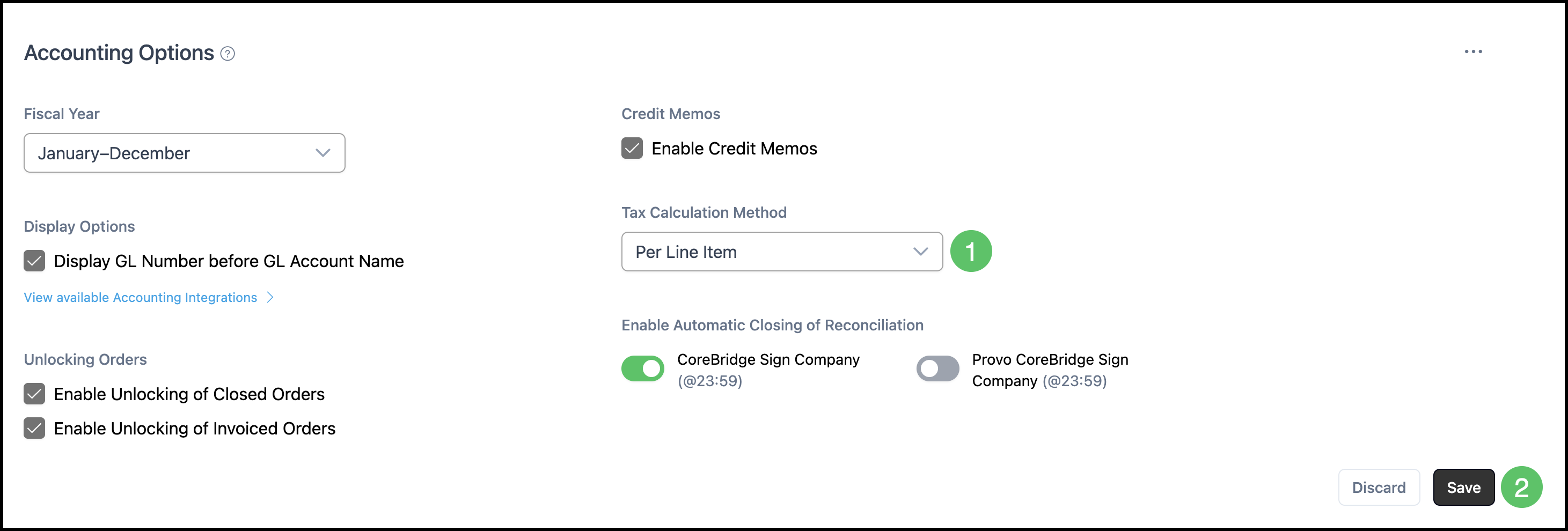
Tax Calculation Method chooses whether sales tax is calculated on each Line Item or on the Order subtotal. The choice is saved on Accounting Options. Save keeps the dropdown you selected, and Discard returns the dropdown to the last saved value.
Table of Contents
- Important Information
- Tax Calculation Method in Accounting Options
- Frequently Asked Questions
- Related Articles
Important Information
- Per Line Item calculates sales tax on each Line Item. On Order Subtotal calculates sales tax on the Order subtotal.
- Tax Calculation Method is set on Accounting Options. For more information, please see Accounting Options.
- Sales tax rates are set on Tax Items, Tax Groups, and Taxability Codes. For more information, please see Tax Items, Tax Groups, and Taxability Codes.
- Save keeps the dropdown you selected. Discard returns the dropdown to the last saved value. Save and Discard stay unavailable until the dropdown changes.
Tax Calculation Method in Accounting Options
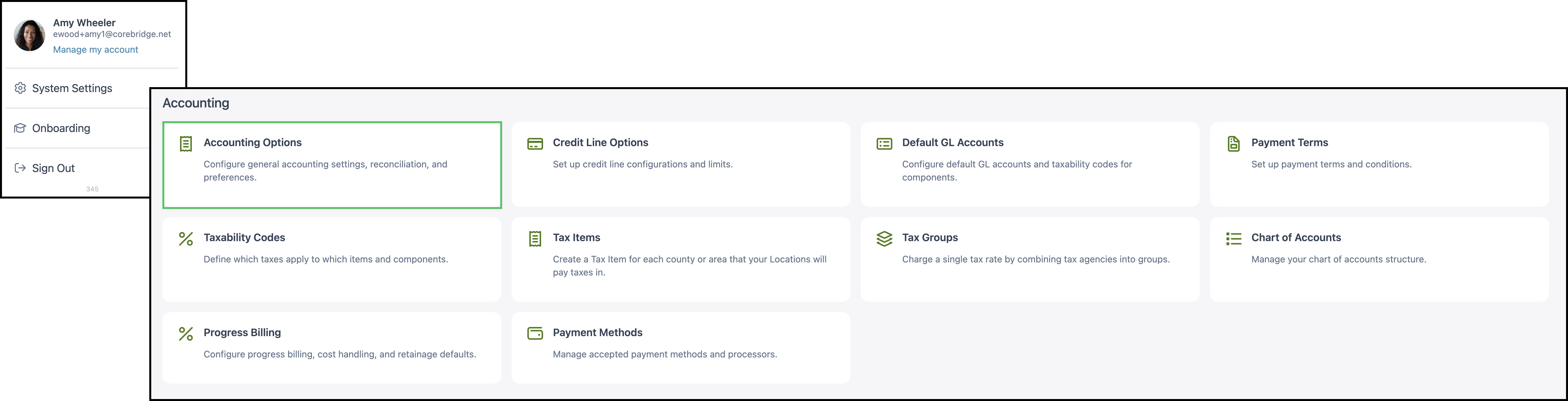
Navigate to System Settings / Accounting / Accounting Options.
1. Select the Tax Calculation Method.
- Per Line Item - Sales tax is calculated on each Line Item.
- On Order Subtotal - Sales tax is calculated on the Order subtotal.
2. Click Save. Click Discard to return the dropdown to the last saved value.
Frequently Asked Questions
1. What is the difference between Per Line Item and On Order Subtotal?
Answer: Per Line Item calculates sales tax on each Line Item. On Order Subtotal calculates sales tax on the Order subtotal.
2. Where are sales tax rates set?
Answer: Sales tax rates are set on Tax Items, Tax Groups, and Taxability Codes. For more information, please see Tax Items, Tax Groups, and Taxability Codes.
3. Why are Save and Discard unavailable?
Answer: Save and Discard stay unavailable until you change Tax Calculation Method. After the dropdown changes, both buttons are available. Discard returns the dropdown to the last saved value.