
CRM Industries lets you organize Companies by Industry using parent categories and subcategories. Manage the available Industry options in CRM Lists, then assign an Industry to a Company in Sales Context. The Industry is saved to the Company record when the Company is saved.
Table of Contents
- Important Information
- Adding an Industry
- Editing or Deleting an Industry
- Industry on a Company
- Frequently Asked Questions
- Related Articles
Important Information
- An Industry is the Company's main industry.
- Add the Industry on CRM Lists before selecting it on a Company. Saving the list does not assign the Industry to a Company.
- A parent Industry groups its sub-labels. Only a root-level Industry can be selected as a parent. Leave Parent Industry blank to keep the Industry at the root.
- Delete stays unavailable while that Industry is on a Company.
Adding an Industry
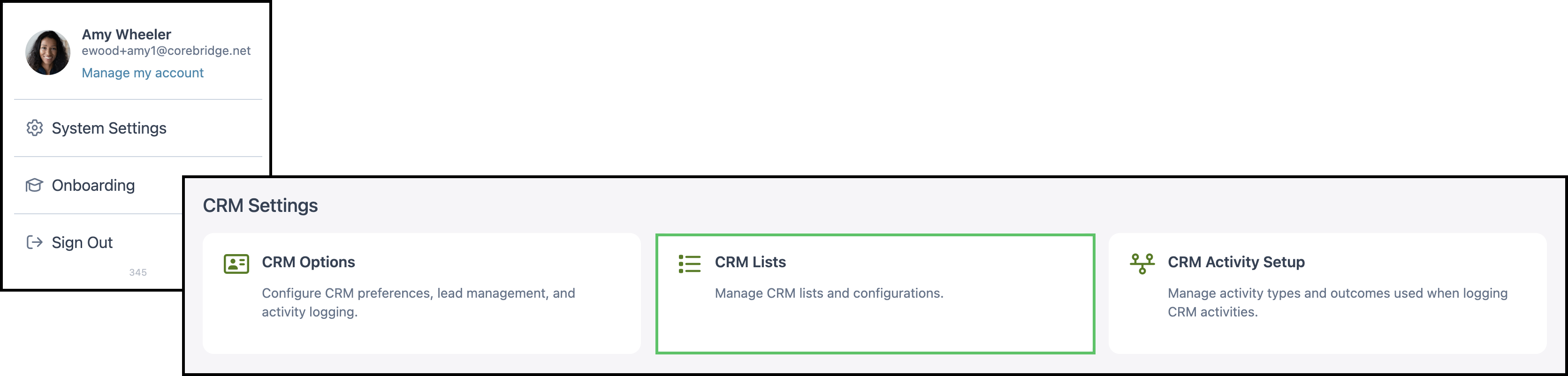
Navigate to System Settings / CRM Settings / CRM Lists.
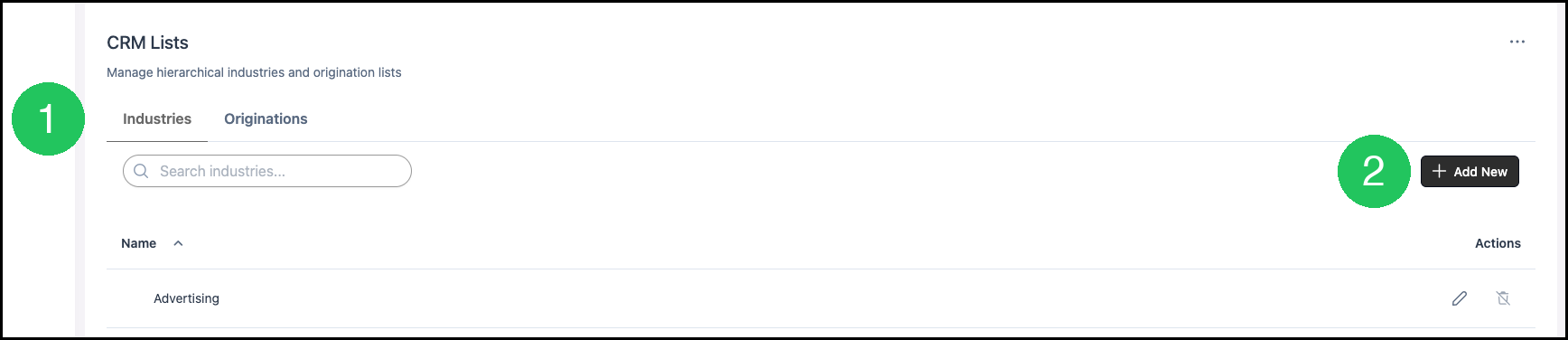
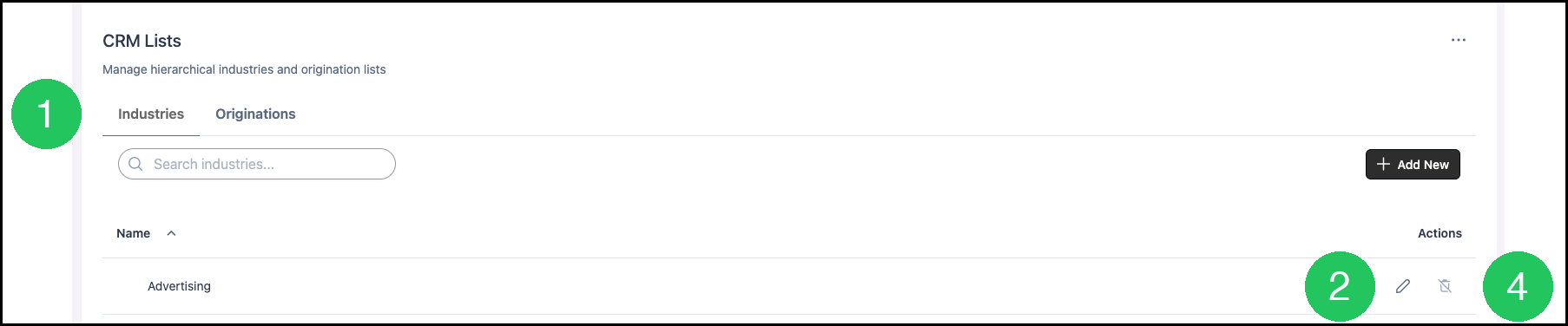
1. Select the Industries tab.
Note: More Actions includes History, which opens Change History for this tab.
2. Click Add New. This opens the Add Industry dialog.
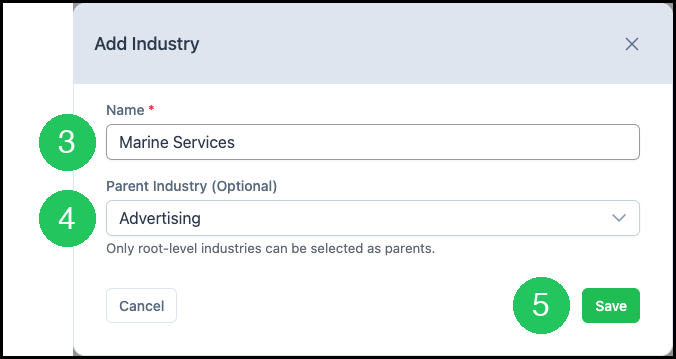
3. Enter a Name. This field is required.
4. Select a Parent Industry when this Industry should sit under a parent. Leave Parent Industry blank to keep the Industry at the root. Only a root-level Industry can be selected as a parent.
5. Click Save. The Industry is stored on the Industries list.
Editing or Deleting an Industry
An Industry can be edited or deleted from the list. Delete stays unavailable while that Industry is on a Company. Pointing at Delete shows that message.
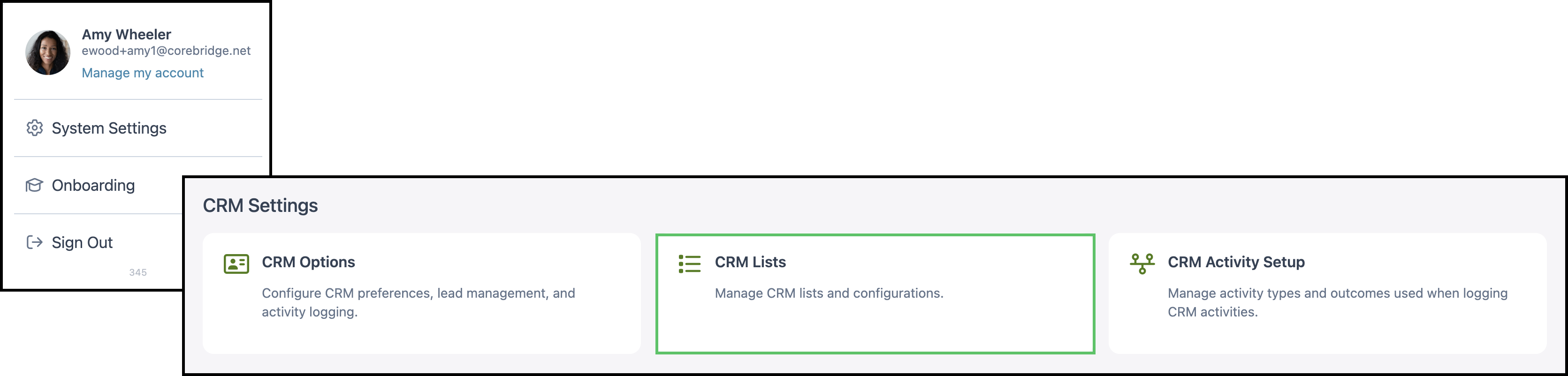
Navigate to System Settings / CRM Settings / CRM Lists.
1. Select the Industries tab.
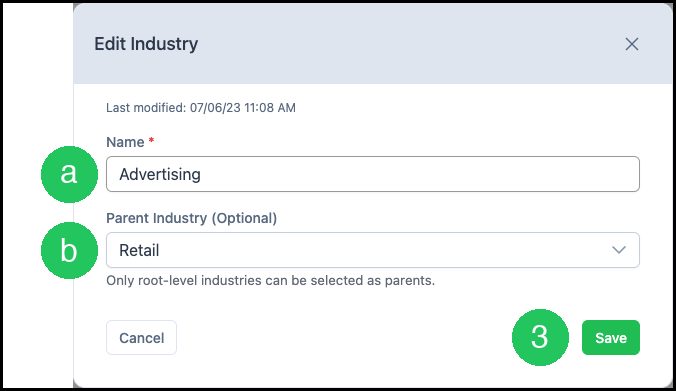
2. Click Edit. This opens the Edit Industry dialog.
a. Name is the label stored on the list.
b. Parent Industry sets the parent. Leave it blank to keep the Industry at the root.
3. Click Save. The Industries list shows the updated Industry.
4. Click Delete to remove an Industry that is not on a Company.
Note: Delete stays unavailable while that Industry is on a Company. Pointing at Delete shows that message.
Industry on a Company
The Industries list supplies Industry in Sales Context when a Company is added or edited.
Navigate to Sales / Companies and select the Company.
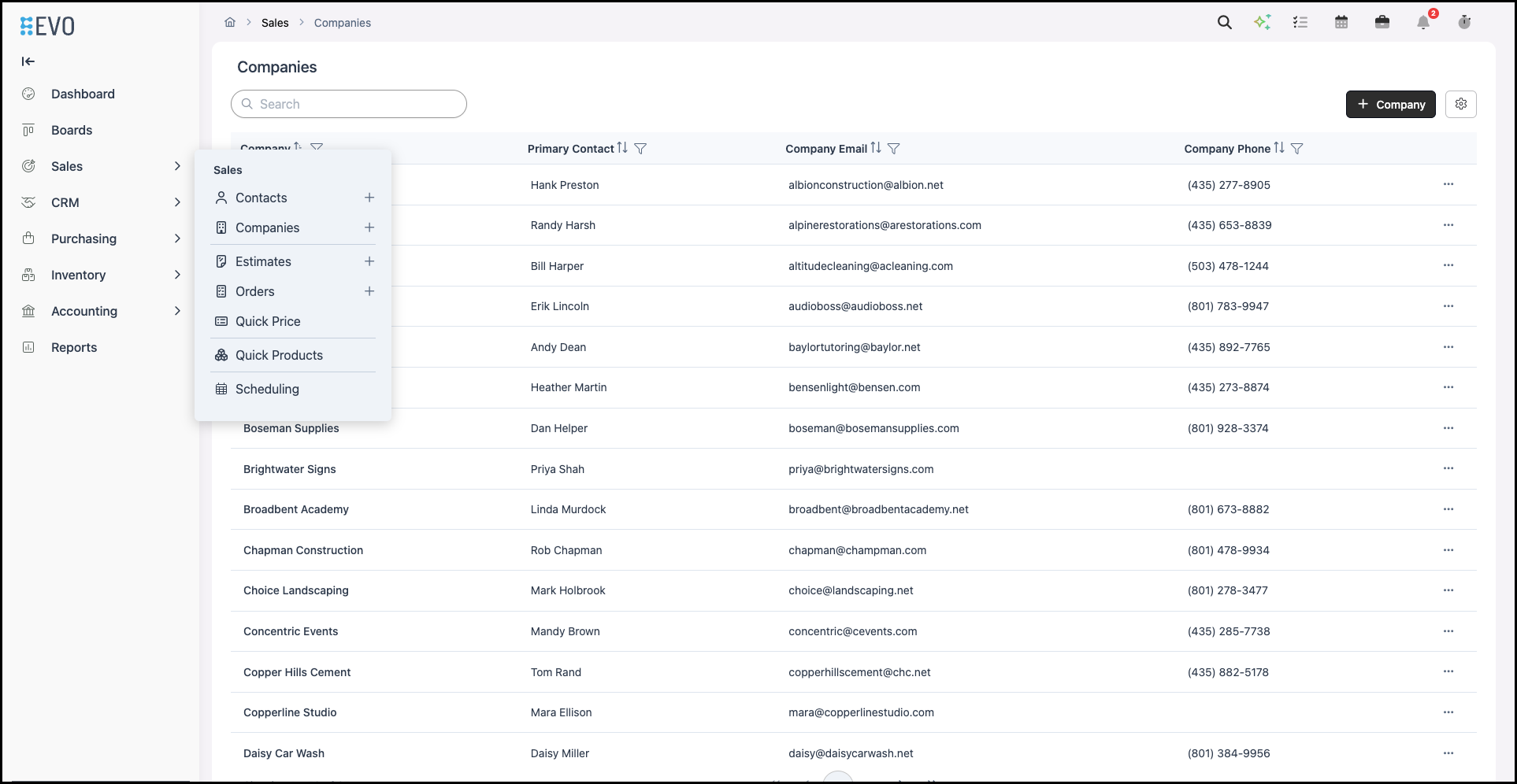
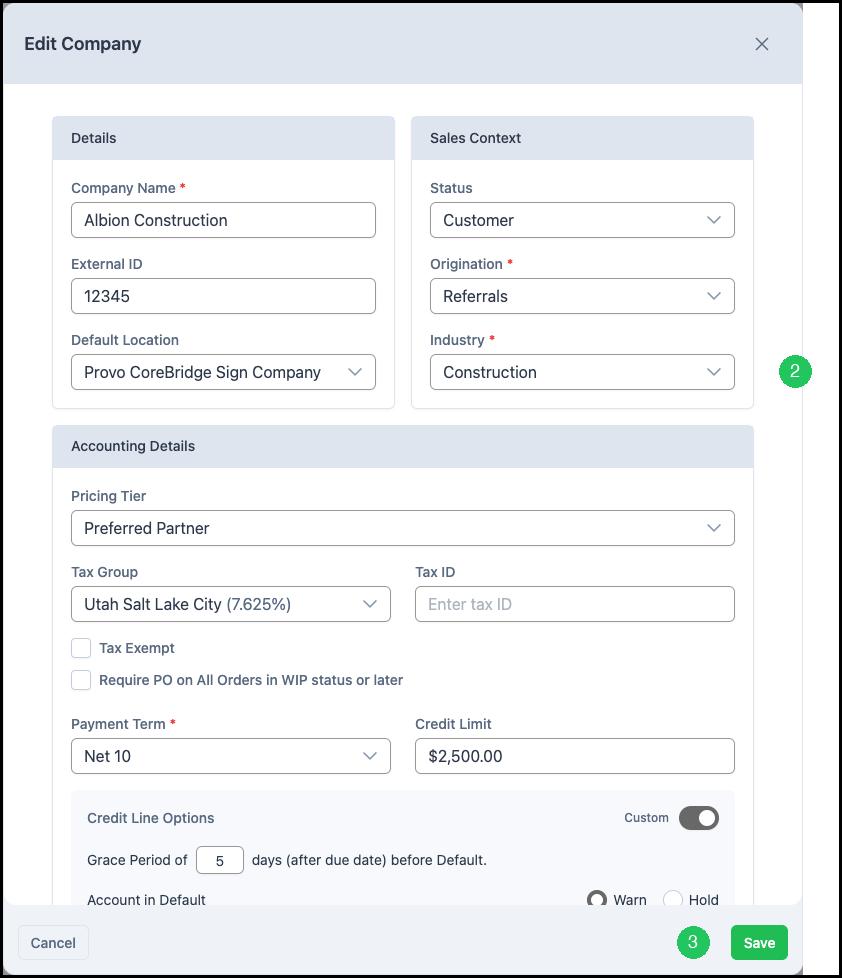
1. Click Edit. This opens the Edit Company dialog.

2. In Sales Context, select an Industry. Industry is the Company's main industry. The choices come from the Industries list.
3. Click Save. The Company stores that Industry.
Frequently Asked Questions
1. Why is Delete unavailable for an Industry?
Answer: Delete stays unavailable while that Industry is on a Company. Pointing at Delete shows that message.
2. Where does Industry appear on a Company?
Answer: Industry in Sales Context uses the Industries list. The Company stores the Industry when the Company is saved.