
Product Settings lets you enable or disable options such as hemming, grommets, and roll cutting for a Product. These options are managed in the Product Settings card and may vary depending on the Product.
Table of Contents
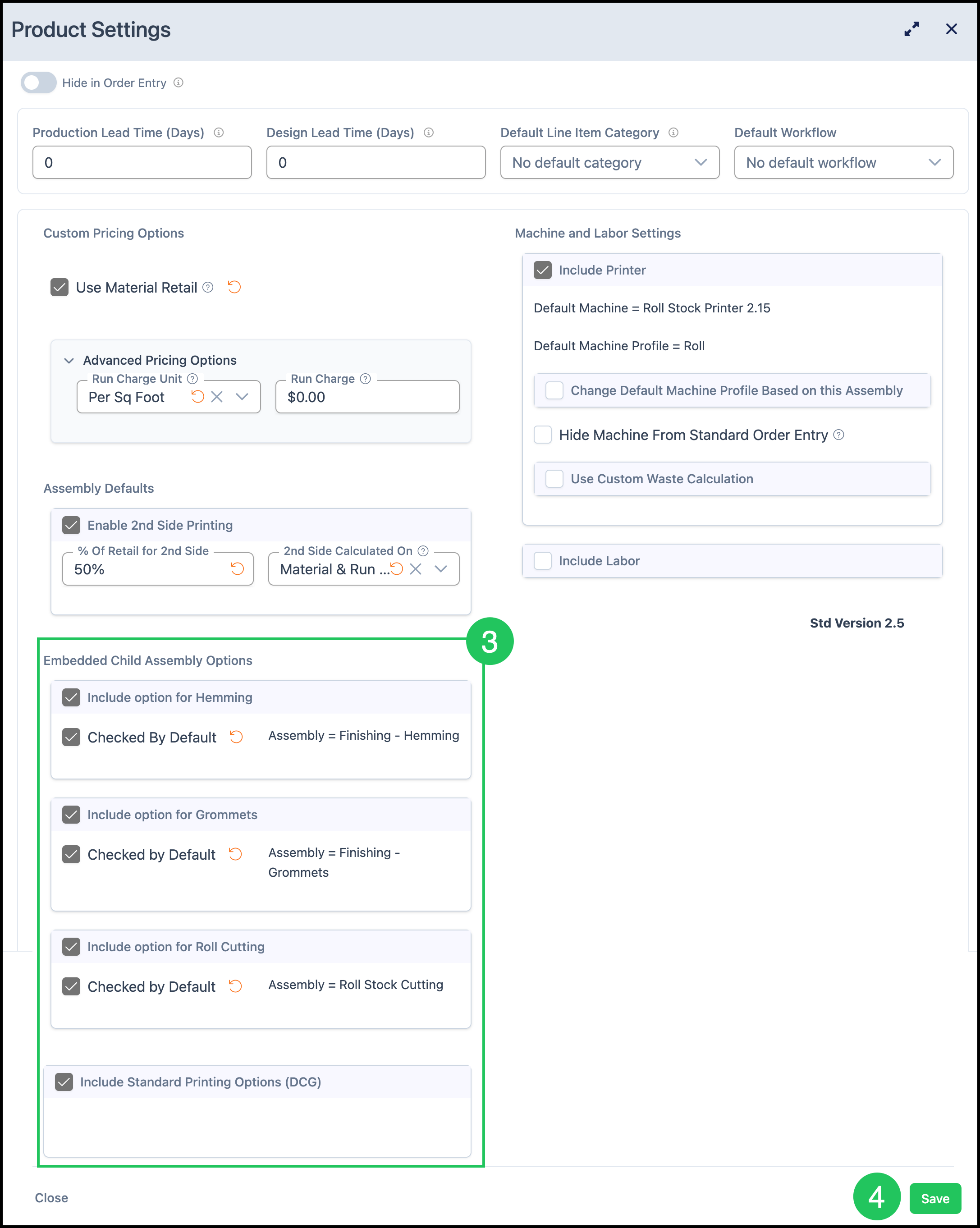
Embedded Child Assembly Options
Navigate to System Settings / Components / Products & Modifiers.

1. Select the Product. For example, select Banner Prints.
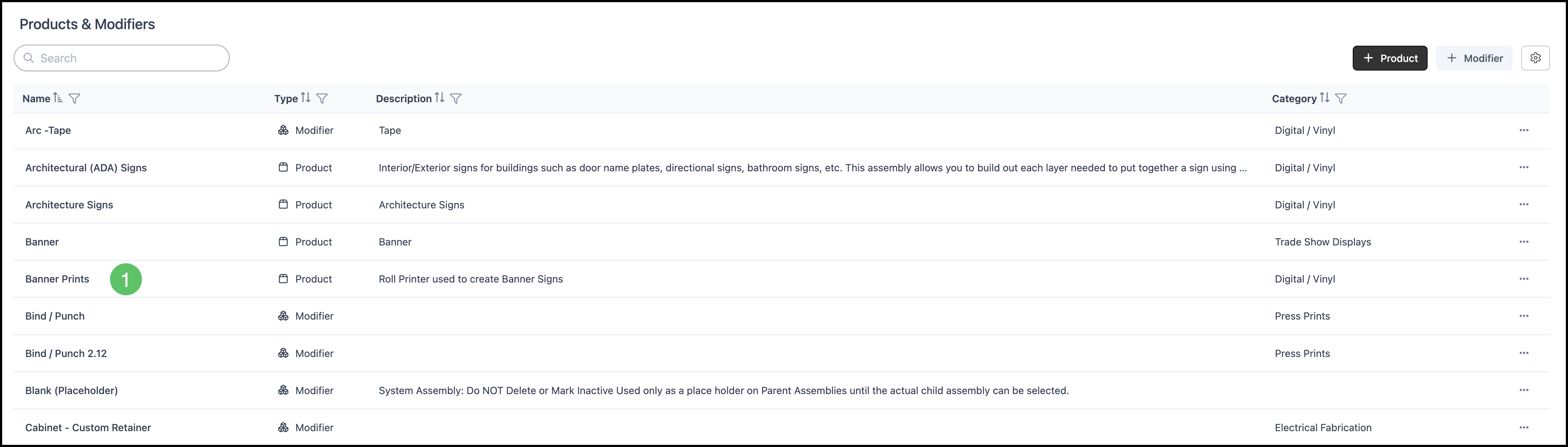
2. Click the Product Settings card.

3. Select which Embedded Child Assembly Options you would like to include.
4. Click Save.
For more information on the Product screen, please see Product Details.
Frequently Asked Questions
1. Do I edit the Sales Form to remove hemming?
Answer: Open Product Settings, clear Include option for Hemming, click Close, then click Save on the Product screen.
2. Why are Hemming, Grommets, and Roll Cutting missing from Product Settings?
Answer: The options follow the Product. Another Product can show a different list.